

The following is a selection of my contributions to the group chat on Slack from from Wednesday 8th February to Tuesday 14th February 2017. The Slack ‘Chat Channel’ was set up by Dr. Frances Boylan on 10th January 2017 and I joined the channel on 11th January 2017.
Frances Boylan [9:16 AM]
Hi all. Just want to check if everything is ok with the material & CA this week? The chat channel has been quiet. I’m away tomorrow & over the weekend so won’t be about to answer questions here after today until Monday morning.
Gerard Kilkenny [9:44 AM]
@frances: I’ll be looking at this week’s CA later today Frances. I’ll get back to you if I have any queries. Any idea when the CATME self and peer assessment results are available? Just looked and there are no links in there yet.
Gerard Kilkenny [10:09 AM]
Gerard Kilkenny
@frances: I’ll be looking at this week’s CA later today Frances. I’ll get back to you if I have any queries. Any idea when the CATME self and peer assessment results are available? Just looked and there are no links in there yet.
Posted in #chatFeb 9th, 2017
Gerard Kilkennygerard.kilkenny
@frances: Grand.
Feb 9th, 2017
Pauline Rooney [10:13 AM]
@Gerry I’m waiting on one CATME evaluation and that should be in today. I don’t want to release the results until all evaluations are in as it will skew them. (And It is only possible to release results to the full class – I.e. I can’t release individual team results. A restriction of the system as I’m discovering!) Will be in touch later today with a further update though.
Gerard Kilkenny [10:15 AM]
@paulinerooney: Thanks. Badges for Week 4 to be pushed or pulled?
Gerard Kilkenny [2:15 AM]
https://phys.org/news/2016-11-robots-classrooms-tools-teachers.html
phys.org
Robots likely to be used in classrooms as learning tools, not teachers
Robots are increasingly being used to teach students in the classroom for a number of subjects across science, maths and language. But our research shows that while students enjoy learning with robots, teachers are slightly reluctant to use them in the classroom.
https://3c1703fe8d.site.internapcdn.net/newman/gfx/news/hires/2016/robotslikely.jpg
Now that they’ve replaced most of the checkout operators in SuperValu, we could be next. 😀
Mick Mc Keever [7:02 PM]
@gerard.kilkenny I teach automation and robotics in DIT so we have been using them for years to teach. Unfortunately the memory capacity on the batches over the last few years seems inferior. It might be due to a Y2K bug the millennials suffer and can only keep max 4 digits in memory at any one time instead of the standard 7 +/- 2 (according to Miller).
Gerard Kilkenny [7:28 PM]
@mick_mc_keever: Very funny Mick! Unfortunately, there is a certain amount of truth in what you seem to be indicating. In the second level sector, teachers who have been correcting the Leaving Certificate Higher Level Maths papers for many years will tell you that a significant decline in standards began during the celtic tiger years. Many students got part-time jobs, spent more time in menial jobs and socialising, and neglected their studies. Marking schemes for the Maths papers have been ‘adjusted’ for many years now to keep the number of As, Bs, Cs, etc the same inside the ‘bell curve’. If this hadn’t happened, there would have been a national outcry. The new Project Maths courses (which were very controversial and politicised) could not be allowed to fail. There is substantial evidence to support what I say. You could write a thesis on the subject!
Dave Culliton [10:06 AM]
Gerry I thought the powers were retracting on the Project Maths rubbish? I thought I read that somewhere last year.
Gerard Kilkenny [2 years ago]
@daveyc Who are the ‘powers’ and what do you mean by ‘retracting’? I’m afraid I don’t understand your question in order to reply?
Gerard Kilkenny [1:29 PM]
Allesio found this simple but very good video on 21st Century Skills. The 4 Cs and 2 Ps. It’s less than 3 minutes long…
https://k12.thoughtfullearning.com/FAQ/what-are-21st-century-skills
K-12 Thoughtful Learning
What are 21st century skills?
The 21st century skills are a set of abilities that students need to develop in order to succeed in the information age. Explore this page to learn about these drivers of success.

The following is a selection of my contributions to the group chat on Slack from from Wednesday 1st February to Tuesday 7th February 2017. The Slack ‘Chat Channel’ was set up by Dr. Frances Boylan on 10th January 2017 and I joined the channel on 11th January 2017.
Pauline Rooney [10:12 AM]
@gerard.kilkenny The full instructions on this week’s CA including submission details are available in webcourses. (See topic 4). As in previous weeks, you will need to click the “Mark Reviewed” option under the introductory video before this week’s content and task details are visible. To “submit” your video you will need to tweet it to #dittelta. There is also a discussion board for this week under topic 4: if you have any thoughts on the readings etc. please discuss there and feel free to post your mindmaps there also. It would be great to get some peer review going before next week’s webinar!
Also if anyone is having any difficulties accessing the group tools etc. just let me know.
Gerard Kilkenny [10:55 AM]
@paulinerooney: Thanks Pauline. I went in to BB last night and I could see that what we have to do is all explained well. I thinks having the discussion board in Webcourses as well as Slack though means that we have to go to two places to see/partake in discussions or chat. I prefer Slack and use it more often as it takes too long to get to then discussion board in Webcourses with logins and navigation. Slack is more instantaneous.
Terri Gray [11:46 AM]
Hi I agree with Gerry slack is much user friendly
Gerard Kilkenny [9:07 PM]
I know that e-assessment is not for another couple of weeks. However, during a ‘key viewing’, I found my mind wandering and I started to ponder user authentication for online examinations. Veering off the immediate subject matter, I came across this research paper called ‘Continuous Biometric User Authentication in Online Examinations’. It was interesting to read about an authentication method I had not read about before:
Keystroke Dynamics
http://lsia.fi.uba.ar/papers/flior10.pdf
Gerard Kilkenny [11:51 PM]
Coggle – Motivating Online Students – the CRISPS-(FC)2 Model (by Group 4) https://coggle.it/diagram/58979f9fc128180001bd6ab5/2a93410f20ca56700d9210bd5ec9b7a7c6c73e51d1a880d59bf23d68b66643d9
Coggle
Motivating Online Students – the CRISPS-(FC)2 Model (by Group 4)
A Coggle Diagram about FLEXIBLE. For assessment, provide a choice of tasks and also a choice of modes for completing the tasks, e.g. create a video OR a screencast. Students feel empowered when they feel that they have control over some aspects of their learning., INTERESTING. Trigger the students' interest so that they pay attention during the course. Situational interest (short-term) refers to an aspect of a course that is enjoyable or fun. Individual interest (long-term) is linked to content and vocation., SUPPORTIVE. Provide a personal welcome to the course (e.g. video or screencast) and be available to respond to students' questions (e.g. SLACK). Create a comfortable a… Show more
Gerard Kilkenny [11:53 PM]
Group 4 (for the Mindmap for Week 4) of TELTA were: Blathnaid Sheridan, Dave Culliton, Gerard Kilkenny.
The PDF file of the Coggle diagram.
Motivating_Online_Students_-_the_CRISPS-FC2_Model_by_Group_4.pdf
Gerard Kilkenny [11:59 PM]
I also tweeted our Group 4 (Week 4) mindmap (Coggle diagram). I used the hashtag #dittelta. Can anyone see it on Twitter? I can’t see any other groups’ tweeted mindmaps. The last tweet with the hashtag #dittelta was from Pauline Rooney (5 days ago) which is Tuesday 31st January 2017. It begins with “Exploring online communication tools…”
Pat Zaidan [12:02 AM]
Hi Gerry, the hashtag is not updating on Twitter. We tweeted the map and hashtag but it does not show up.
Gerard Kilkenny [12:08 AM]
Thanks Pat. I think my issue is that my tweets were protected. I have just changed them to public. I don’t know if there is any other issue that is preventing tweets with y#dittelta
…with the #dittelta hashtag from being discoverable/viewable.
Gerard Kilkenny [12:22 AM]
I resent the tweet having made my Twitter account
Damn enter key is too close to the backspace key!
I resent the tweet having changed my Twitter settings from protected to public. Still no sign of the new tweet under #dittelta. No other groups tweets are visible either.
Gerard Kilkenny [12:36 AM]
@frances @paulinerooney However, my tweet appears on the #twitter channel that you set up Frances / Pauline! Frances, you set up a Twitter integration with Slack on 10th January and asked if anyone else had set up Twitter integration. As you know, four of us students and Kevin O’Rourke added Twitter integration, with mine added on 19th January. You disabled and removed your integration on 20th January, perhaps assuming that Twitter integration with Slack doesn’t work? However, now on 6th February, I can confirm that it does appear to work for tweets sent from unprotected Twitter accounts. It would have been great if all of the groups tweeted mindmaps had appeared together in the one Slack #twitter channel. As things stand, with the midnight deadline having passed, I can’t see any other groups’ mindmaps for week 4. Technology!
Rachel Lynch [8:45 AM]
I tweeted group 6 but I don’t see it either.
Frances Boylan [8:52 AM]
No idea what’s happening with #dittelta :disappointed: I’ve sent a tweet there now to #dittelta from within Twitter and it showed. Are you sharing/tweeting your map from within Coggle, or logging into Twitter and doing it from there?
Pauline Rooney [9:48 AM]
Gerard Kilkenny
I also tweeted our Group 4 (Week 4) mindmap (Coggle diagram). I used the hashtag #dittelta. Can anyone see it on Twitter? I can’t see any other groups’ tweeted mindmaps. The last tweet with the hashtag #dittelta was from Pauline Rooney (5 days ago) which is Tuesday 31st January 2017. It begins with “Exploring online communication tools…”
Posted in #chatFeb 5th, 2017
Pauline Rooneypaulinerooney
@gerard.kilkenny I can’t see your mindmap on Twitter either. Very odd.
Feb 6th, 2017
Gerard Kilkenny [9:54 AM]
Screen shot of my Twitter interface.
Screen Shot 2017-02-06 at 09.49.40.png
Gerard Kilkenny [10:05 AM]
@frances @paulinerooney I just sent a test tweet with #dittelta from my Twitter account. It appeared by searching for #dittelta, same as for Frances’s test tweet. It also appears on the #twitter channel in Slack if you wish to have a look.
Frances, to answer your question about the origin of the tweets. In my case, I sent the two mindmap tweets from the sharing button (Facebook, Twitter and Embed Code) within Coggle. This forces you to login to Twitter, so ultimately it seems to be sent from there. (However, who knows, maybe Coggle are using an old API).
My first (protected) tweeted mindmap from within Coggle didn’t appear under #dittelta (understandable). My second (public) tweeted mindmap from within Coggle doesn’t appear when you search under #dittelta but does appear in the Slack #twitter channel.
That’s the results of my testing.
Gerard Kilkenny [10:10 AM]
@frances Those increased statistics for Slack have probably something to do with the fact that Coggle chat is unusable (doesn’t update in real time) and folk probably dislike having to take an arduous stroll through BB to get to the ancient ‘chat’ interface. Also, it makes sense to use one place for instant and group messaging.
Gerard Kilkenny [10:16 AM]
Maybe we should get Donald Trump in for a talk on Twitter?
Gerard Kilkenny [10:43 AM]
@frances @paulinerooney The #twitter channel on Slack works. Why didn’t we use it for this group task since a Slack channel was used for the Week 2 group task?
Mary O’Rawe [11:39 AM]
@gerard.kilkenny . And all groups, I can see your map in Twitter, all good and well done.
Pauline Rooney [1:33 PM]
@gerry I opted to use Blackboard tools for the Topic 2 task (i.e. discussion board/wiki etc.), although individual groups were free to use other communication tools if they wished. So I think the Slack channel that you are referring to was your private group’s channel? Thanks for your suggestion though! – it is something we will certainly take on board for further iterations of the module.
Gerard Kilkenny [2:35 PM]
@paulinerooney: Sorry, Pauline, the Slack channel I was referring to was the #video-ca channel that was used for individual posting for Week 3 (last week). The #twitter Slack channel is working. You will see my Group 4 posting was automatically posted there from Twitter if you go and set up Twitter integration in Slack.
Pauline Rooney [2:52 PM]
Gerard Kilkenny
@paulinerooney: Sorry, Pauline, the Slack channel I was referring to was the #video-ca channel that was used for individual posting for Week 3 (last week). The #twitter Slack channel is working. You will see my Group 4 posting was automatically posted there from Twitter if you go and set up Twitter integration in Slack.
Posted in #chatFeb 6th, 2017
Pauline Rooneypaulinerooney
@gerard.kilkenny I can see your mindmap when I view your account on Twitter but it isn’t appearing when I search for #dittelta. I tried retweeting it but when I do that, your tweet is marked “unavailable”. If you can figure this one out Gerry, there might be an extra badge on offer! 😉
Feb 6th, 2017
Pat Zaidan [2:59 PM]
Pauline, Gerry, copy the URL from Coggle and paste it into a regular twitter a/c with the hashtag. That’s what I did the last time. Gerry if your Tweets are protected it wont be seen publicly. Hope this helps.
Gerard Kilkenny [8:05 PM]
@gerta: Adding the hashtag #dittelta below the link that appears when the user shares to Twitter from within Coggle is problematic Gerta. There are a number of technical comments posted to this #chat channel by myself and others earlier today. The tweet is sent but the #dittelta hashtag doesn’t do its intended job. From the earlier comments, it seems that the only way to get the hashtag to work is to create a link from Coggle, paste it into your Twitter account, add #dittelta and tweet. I haven’t tried this myself yet but will probably do so later to test this hypothesis and to satisfy my technical curiosity!
Gerta Nestorowicz [8:27 PM]
@gerard.kilkenny I have seen messages but I still managed to post to twitter! As I said – the first attempt with the link did not work. The second, from within coggle was fine. I clicked share to twitter icon, the new tab opened with the standard message (Coggle – **Name of the MindMap** http link). I simply added #dittelta and Group 6 in front of that text. Oh! and one other thing (not sure if someoe has already said that). When searchin for #dittelta I was not able to see the posts on until I cliccked on the tab for Latest results (as oposed to Top results that twitter search defaults to). Good luck!
Gerard Kilkenny [8:56 PM]
@gerta I put the #dittelta AFTER the text in the Coggle share link. I will try placing it BEFORE the link (later) and test it. Yes, I know that you need to click on ‘Latest’ tweets and not ‘Top’ tweets.
Mick Mc Keever [9:11 PM]
@gerard.kilkenny Did you ask last week during the webinar about loading up PowerPoint into webcourses webinar so we can do the 7 min talk and control the screens as well (like we had in ID module)? I don’t see this facility and not sure where to stick my PowerPoint up on line! Any advice on where you are going to put your PowerPoint would be appreciated.
Gerard Kilkenny [10:17 PM]
@mick_mc_keever: Mick, I’m not going to use a PowerPoint tomorrow because (i) the short time slot (7 mins) (ii) I think it makes sense to show the actual mindmap and speak about the different branches and how our group arrived at these branches. Pauline’s email from earlier today seems to suggest what I have indicated in (i) and (ii). Here’s the relevant extract from her email:
“this nominee will present the group’s mindmap and outline the process by which the group arrived at the mindmap. I will give each presenter moderator rights during the webinar so that they can share their mindmap via their own desktop.”
Gerard Kilkenny [10:27 PM]
@mick_mc_keever: @paulinerooney …but if you have a PowerPoint prepared, I’d say go ahead and use it. I don’t think you need to move the file anywhere. My understanding is that when your 7 minute time slot begins, Pauline (or Frances) will just switch to your screen (which is showing a maximised window). I am assuming that’s the way the BB application works but I haven’t been ‘behind the curtain’. Perhaps Pauline or Frances might confirm this or not before tomorrow’s webinar?
Mick Mc Keever [12:30 AM]
@gerard.kilkenny Thanks Gerry. As the running order is a surprise there is a 5:1 chance of someone else has to blazing the trail tomorrow.
Gerard Kilkenny [2:22 PM]
@paulinerooney How do you get your CATME score/assessment? I went in just now and there are just two buttons (Rater Practice and Change Password) and no links. I submitted my group peer assessment last night.
Cora O’Donnell [3:03 PM]
I had the same experience as Gerard. No links to my own review..
Mick Mc Keever [4:52 PM]
In summary Pub Only, Friday 10/3/17, 8pm in Dublin City Centre. Now for the location! Suggestions please in the whichpub channel. Any one not included let
them know
Terri Gray [6:16 PM]
Mick technology has gone to your head !!!!
Gerard Kilkenny [7:48 PM]
Good man Mick! I suppose it’s too late for a #whichpresident sub-channel as a branch off the #twitter channel?
Rachel Maguire [10:01 PM]
Good work Mick :+1::skin-tone-2:

The following is a selection of my contributions to the group chat on Slack from from Wednesday 25th January to Tuesday 31st January 2017. The Slack ‘Chat Channel’ was set up by Dr. Frances Boylan on 10th January 2017 and I joined the channel on 11th January 2017.
Dave Culliton [1:38 PM]
@frances @paulinerooney Must I use screencastomatic to create the ScreenCast? Or can I use perhaps Articulate Replay or similar?
Gerard Kilkenny [3:16 PM]
Hi Dave, your question was answered by Frances on this (Chat) channel at 12.27 pm yesterday. She said that we are not restricted to screencast-o-matic and we can use any screencasting software we like for this CA. Have a look at what she wrote. I hope that helps. Good luck with your screencast.
Frances Boylan [4:10 PM]
Thanks Gerard. I tried to reply earlier but it wouldn’t send for some reason
Gerard Kilkenny [4:15 PM]
Slack bug:
I noticed that the new(ish) ‘videos-ca’ channel appeared on my iPhone but not on my iPad. I had to close the iPad app and re-open it for the channel to appear. I’m not sure if this is due to synchronisation issues when an individual has two Apple iOS devices or whether it is necessary to re-open the Slack app for new channels to appear. I suspect it is the former. Anyone else experience this issue?
Gerard Kilkenny [4:41 PM]
Slack notifications:
Usually it is possible to configure notifications for apps in either and/or the app itself, e.g. WhatsApp has two notification locations – Settings => Notifications (from the app itself) and Settings => Notifications (from the iOS ‘Settings’ app). However, the two locations DO NOT HAVE THE SAME SET OF SETTINGS.
The same applies to Slack. However, the difference between the two locations is far more pronounced in Slack. Slack has a sophisticated user interface for notification settings from within it’s web interface and from settings within it’s mobile (at least iOS) apps which even allow the user to configure notifications differently for individual channels e.g. “Activity of any kind from ‘videos-ca’ ” and “Only Direct Messages & Highlight Words from ‘chat’ “. The URL which describes the set up for mobile push notifications is as follows:
https://get.slack.help/hc/en-us/articles/201398457-Mobile-push-notifications
Correction: its…not it’s (for web interface and mobile)…in case I am tracked by the Grammar Police!
Rachel Lynch [12:18 PM]
Does anyone have any suggestions for exporting powtoons to vimeo without paying for it?
Gerard Kilkenny [1:45 PM]
@rachellynch I haven’t used Powtoon yet but the following two links suggest that it’s possible for free users to export to Vimeo. If you can’t do so for some reason, I assume you can simply paste the URL for your Powtoon animation to Slack, or upload it to YouTube (and again paste the YouTube link here in Slack) to satisfy the requirements of the CA? Have you created a free Vimeo account for yourself?
https://powtoon.uservoice.com/forums/149780-powtoon-community/suggestions/15673878-to-make-exporting-free-for-the-free-users
PowToon Customer Feedback
to make exporting free “for the free users”
not asking to unlock the characters but at least exporting the files should be free, it is a headache to make a slideshow and not being able to export it.
https://powtoon.freshdesk.com/support/solutions/articles/5000009898-publishing-and-exporting-my-powtoon
Rachel Lynch [2:11 PM]
Thanks Gerry, the mp4 option is only available on pro, the vimeo option eventually worked, but took almost an hour to process.
Gerard Kilkenny [5:07 PM]
Having finished the CA for this week, I looked at all of the other work (about 6) from my TELTA module classmates that have been posted so far to the ‘videos-ca’ channel. I then went back and looked at the brief for this week’s CA and did some reflecting.
The brief was to create a presentation to introduce a teaching/learning module with either a video or a screencast. However, screencasting software is designed to record activities on the computer screen and is typically used to teach / train the end user (possibly a student) to use a piece of application software. Creating a video to introduce a teaching module does comply with the brief because a video is more closely aligned with the genre ‘presentation’.
I know that Frances made a relevant post to this Chat channel on Friday offering more flexibility and choice around the software we could use (and I appreciate this flexibility). She mentioned Powtoon and I noticed that this was used by one or two of the TELTA module participants. Powtoon belongs to,the genre of ‘presentation’ (specifically animated presentation software) and so too does its close rival GoAnimate. I would like to point out that PowerPoint is also presentation software and this could equally have been used, with narration, to make a similar presentation to Powtoon. However, I suspect there may be some bias against using PowerPoint because it’s around so long. However, properly used, PowerPoint is an excellent presentation tool that can create a presentation comprising text, graphics, video, animation, and audio (both narration and music).
I chose to use Adobe Captivate’s software simulation mode to create an screencast and not a presentation. I know that, technically speaking, I did not fully comply with the CA specification, I.e. introduce a teaching module. (I wanted to satisfy more if my TELTA module PLOs by using Adobe Captivate and Moodle). I would argue that it is not possible to create a presentation with screencasting software, If it is, then the software is either not screencasting software or is a superset of screencasting software (such as Adobe Captivate 9 which can create eLearning lessons and courses, apps for iOS and Android, and presentations well as screencasts)
I think that the CA specifications should have stated to create (a) a video or (b) a presentation (not a screencast) if the purpose is to create an introduction to a teaching/learning module.
Anne Mulvihill mentioned that we might collate the different recording tools used in this CA. I think that if this is to be done, and is to be useful, then the various software tools should be categorised as follows:
(a) Screencasting: Adobe Captivate, Screencast-O-Matic, Camtasia, etc.
(b) Presentation: Adobe Captivate, Powtoon, GoAnimate, PowerPoint, Prezi, SlideShare, etc.
(c) Video Editing: Windows Movie Maker, Apple iMovie, Adobe Premiere Pro, etc,
(d) Video Sharing: YouTube, Vimeo, Personal Websites (simply upload a MP4 file or a bunch of HTML5 files), etc.
If course, then there is the hardware used for video creation, iPhone, iPad, Android phone, Windows phone, digital video cameras, etc.
Before someone points out that the assignment is as much, or more to do, with the teaching and learning than the technology, I would like to make this point. It is extremely important to be (a) aware of the purpose and genre of the tool on an immersive TELTA course (like this module) (b) aware of the research carried out into how to combine different multimedia components, such as text with narrated audio, text with graphics, etc. (what Clark and Mayer call the ‘Contiguity Principle’).
Here are three links:
(1) comparison of screencasting software
(2) 31 presentation and PowerPoint alternatives for 2016
(3) an annotated bibliography I wrote on a chapter from ‘eLearning and the Science of Instruction’ (by Clark and Mayer) called ‘Applying the Contiguity Principle’.
Comparison of Screencasting Software:
https://en.m.wikipedia.org/wiki/Comparison_of_screencasting_software
Wikipedia
Comparison of screencasting software
This page provides a comparison of notable screencasting software, used to record activities on the computer screen. This software is commonly used for desktop recording, gameplay recording and video editing. Screencasting software is typically limited to streaming and recording desktop activity alone, in contrast with a software vision mixer, which has the capacity to mix and switch the output between various input streams.
Presentation Software Alternatives:
https://www.customshow.com/best-powerpoint-alternatives-presentation-programs/
customshow.com
31 Presentation Software & Powerpoint Alternatives For 2016
At CustomShow, we decided to list some powerpoint alternatives that could help solve your overall presentation software problems. Thes programs serve many purposes.
Apr 8th, 2016
https://www.customshow.com/wp-content/uploads/2014/04/Powerpoint-Alternatives.jpg
Annotated Bibliography (The Contiguity Principle):
Frances Boylan [8:40 PM]
@gerard.kilkenny: Actually, the brief, as written in the telta module, was to create either (1) a video introducing the module, or (2) to create a screencast that showed the user around the module, explaining how to access content & submit assignments etc. Neither is a ‘presentation’ and the focus of each was very different. The purpose of the screencast was not to introduce the module, but the show the user how to use it – a training tutorial of sorts.
Gerard Kilkenny [10:25 PM]
@frances Thanks, you are absolutely correct in relation to the original brief, and I stand corrected in relation to the fifth paragraph of my post today at 5.07 pm (“I think that the CA specifications…”). However, I think that the rest of the post has a lot of merit. I believe that your suggestion that Powtoon could be used as for a tool to satisfy option 2 of the brief is not consistent with the brief’s stated aim:
“Create a short screencast that shows students around your module, explaining how to access content and/or submit assignments etc. and share it in Slack”
Powtoon is not a screencast tool. It is animation presentation software. I think that it is very important to carefully delineate between different types of tools. I believe that a lack of awareness in relation to different tools, and a lack of expertise in using them, is one of the reasons why there is a worldwide paucity of good eLearning materials. You can be sure that a carpenter will know in what circumstances to use a jigsaw versus a circular saw handsaw. In my opinion, this is not the case in eLearning.
When I first saw Jane Hart’s top 200 tools for eLearning, I was aghast that they were not divided up into categories. Can you imagine this happening in carpentry? No. 1 – The Saw. No. 2 – The Hammer. No. 3 – The Hand Plane. Does this not not look ridiculous? Now, have a look again at Jane Hart’s list:
http://c4lpt.co.uk/top100tools/
Correction: …jigsaw versus a circular saw versus a handsaw.
Anne Mulvihill [10:40 PM]
Gerard, I think as with most briefs in teaching you have to be able to reward creativity and initiative that falls outside the brief otherwise novel ideas can get left out and lost forever!!!
Anne Mulvihill [10:50 PM]
And this comes from someone who boringly sticks rigidly to the brief (but sadly not my script when it comes to screen casting!)
Gerard Kilkenny [11:11 PM]
Anne, I’m not sure of the creative value of trying to design a house with Powtoon instead of AutoCad or Google Sketchup Pro! As I said earlier, I did not fully comply with the CA specification either and I appreciate that Frances (in her post on Friday) allowed us latitude in relation to the tools we could use.
I used the correct tool genre (screencasting using Adobe Captivate) but for a slightly different task (teaching teachers how to use the Moodle LMS). However, at a later stage in the series of screencasts I hope to create, I will get to the stage of creating screencasts to show students how to engage with modules in Moodle (which would comply with the brief!). Is this the initiative you referred to?! Will it be rewarded with a badge on Tuesday?!!
I think I did spend more time making other points in my posts than time taken mentioning compliance with the brief. I’m enjoying this online TELTA module as it is getting is all to use tools we might not otherwise use, and it is making me reflect quite a bit. I was interested in and liked the use you made of OneNote within your screencast, as my school uses Office 365.
Gerard Kilkenny [2:20 PM]
I just set up a second private channel for our new group 4 for this week. I have found the same problem as when I did this for the first private channel two weeks ago. Only 13 members of Slack appeared (10 students and 3 lecturers). I was able to invite Dave but not Blathnaid to the group. (Her name didn’t appear). Two weeks ago, the problem simply resolved itself about a day later. Has anyone else experienced this problem? It appears to be an annoying bug in Slack.
@blathnaids: Hi Blathnaid. I will try to invite you to our private Slack group channel again later. (See my post above).
@blathnaids: I’ve been able to invite you just now. (Note: There are still names of people belonging to the overall Slack group not appearing on the list, but at least our group problem has been resolved).
Gerard Kilkenny [7:33 PM]
@frances: I haven’t logged in to BB yet. Just wondering do we place our groups’ finished tasks on BB or Slack as well as presenting them on webinar next Tuesday?
Frances Boylan [7:37 PM]
@gerard.kilkenny: Pauline is looking after this week and the task and next week’s webinar,so you might check the finer details with her in the morning. She may have that info on the task section of topic 4 either so maybe give a quick check there first. I’ve just left the PC here again so can’t check for you myself right now.
Gerard Kilkenny [7:46 PM]
@frances: Thanks Frances. I’ll have a look myself later and ask Pauline if it’s not obvious. Not at a working PC available to myself at the moment either! Setting up 11 new PCs in a computer room right now, but not one available to log in to BB until I’ve finished configuring them for network access in a couple of hours time!
The following is the continuous assessment work carried out by my group during the week immediately after the Tuesday afternoon webinar that took place on 17th January 2017 from 13:00 to 14:00.
Group 4 – Copyright Gate Task (Gerry, Rachel L, Cora)
Four years ago, an employee within your organisation designed and developed an entire online twelve-week CPD module. Since its inception, the module has been run very successfully, for employees only, three times a year. The employee who designed the original module left your organisation last year to take up a post at another institute.
Word has since spread about the success of this module, and you started receiving enquiries six months ago from ‘outsiders’ asking if they could pay to participate. As a result of this, you and your colleagues decided to run an instance of the module for participants from outside your organisation. Thirty five people registered to participate and the module started two weeks ago.
One of the participants on the module is an eminent barrister who specialises in copyright law. He noticed during the first week of the module that there have been numerous copyright infringements and he sent you a private email listing these infringements: one of these happens to be a journal article that he himself wrote five years previously that has been downloaded from a closed access journal and uploaded into the virtual learning environment for all module participants to read.
You have brought the situation to the attention of your line manager and you both need to make some decisions!
In your groups, using your group wiki and discussion board (and any other tools of your group’s choosing), consider the following:
Once you have completed the above tasks, nominate one member of the group to post a copy of your responses to the appropriate discussion board. (Please paste the text into the body of the discussion posting rather than attaching a document). Your group’s submission posting must be made by Sunday January 22nd at 18:00 GMT.
Take the time to review what the other groups have written – rate their submissions and feel free to comment on their decisions!
Group 4 – Response (Gerry, Rachel L, Cora)
Decisions
(1) The immediate suspension of any items which were claimed to be copyright infringement from the module.
(2) The barristers’ article and access to the closed journal needs to be immediately removed.
(3) Communicate with and assure the barrister that his notifications have been received and that the matter is being dealt with appropriately.
(4) Assess and corroborate the infringements. This may lead to the removal of any other documents, images or articles which are infringing on copyright until such copyright can be obtained.
(5) Attribute non-OER material (including images) used in the module to the author until a full assessment is completed. Links to copyright material should be used, as this is not considered to be a copyright infringement (CJEU 13 Feb 2014, Case C-466/12).
(6) Bring the infringements to the appropriate body within the HEI and have them assessed by the Intellectual Property Department.
(7) Assess whether the materials are of significant value to the course before seeking appropriate permissions to use any material which had been infringed upon.
(8) Assess other modules in order to ensure compliance, especially should the original developer have been involved.
(9) Examine the copyright policies within the HEI and seek further information and training for all relevant staff.
(10) Create a ‘User Guide’ for ‘Designing and Developing eLearning Materials’ (see below).
Important Note
The ‘User Guide’ (below) includes much of the rationale behind these ten decisions.
User Guide
Section 1 – What is Copyright?
1.1 Definitions
Copyright is the legal term, which describes the rights given to authors/creators of certain categories of original work, including:
(i) Text
(ii) Images
(iii) Audio
(iv) Video
(v) Software
The employer is the owner of the copyright for a work created by an employee of an educational institution.
1.2 Exceptions
Exceptions for educational purposes are given under ‘fair dealing’. If in doubt about copyright exceptions, seek legal advice.
1.3 Licensing
Copyright legislation differs from country to country e.g. the UK differs with Ireland. Ensure the appropriate educational licenses are obtained.
1.4 Links
Irish Patents Office
https://www.patentsoffice.ie/en/Copyright/
http://www.irishstatutebook.ie/eli/2000/act/28/enacted/en/html
Copyright and Related Rights Act 2000, Part II, Chapter 6, Section 49-52
Irish Copyright Licensing Agency (ICLA)
http://www.icla.ie/
The Copyright Licensing Agency (CLA)
http://www.cla.co.uk
Section 2 – Placing Non-OER Materials on a LMS (Top Tips)
2.1 Text
2.2 Images
2.3 Audio
2.4 Video
2.5 Links
Irish Copyright Licencing Agency
http://www.icla.ie/
CJEU 13 Feb 2014, Case C-466/12
http://curia.europa.eu/juris/document/document.jsf?text=&docid=147847&pageIndex=0&doclang=EN&mode=req&dir=&occ=first&part=1&cid=58394
Section 3 – Protecting Your Own Work
3.1 Top Tips
3.2 Links
The UK Copyright Service
https://www.copyrightservice.co.uk/protect/
Search Free Images having CC0 Licence
http://creativecommons.photos/
Section 4 – Open Education Resources (OER)
4.1 Definition
OER are the teaching and learning materials that are freely available online for everyone to use and adapt.
4.2 Top Tips
4.3 Examples of OER
4.4 Links
Open Educational Resources (OER)
https://www.heacademy.ac.uk/enhancement/definitions/open-educational-resources-oer
Creative Commons Search Engine
https://search.creativecommons.org/
Flickr
https://www.flickr.com/creativecommons/
Section 5 – Creative Commons Licensing
5.1 The Licenses
Familiarise yourself with the six regularly used ‘CC’ licenses plus CC0 (Public Domain):
5.2 Links
Creative Commons Licenses
https://creativecommons.org/licenses/
The following is a selection of my contributions to the group chat on Slack from from Wednesday 18th January to Tuesday 24th January 2017. The Slack ‘Chat Channel’ was set up by Dr. Frances Boylan on 10th January 2017 and I joined the channel on 11th January 2017.
On Tuesday 17/01/17, I integrated my Twitter account with the DIT TELTA Slack channel.


In the early hours of the morning, I sent the following message on Slack to Kevin O’Rourke, Frances Boylan and Pauline Rooney in relation to issues with Blackboard:

Gerard Kilkenny [2:38 AM]
Kevin, Frances, Pauline. I have spent over an hour trying to get ‘Chat’ and ‘Virtual Classroom’ (in Collaboration link for our group) working with Chrome, Firefox and Safari on my iMac in the group area on Blackboard. It seems to be a Java plug-ins issue. I downloaded and installed the latest version of Java. It comes up with ‘Loading…’ and / or Java exception errors. Previously, I have had no problem with accessing the Blackboard webinars using Chrome on my iMac. I’m going to bed to try to get that 4 hours sleep that Kevin referred to during yesterday’s webinar!
Terri Gray [8:14 AM]
Gerry sounds like you had lots of fun and at 2am!
Frances Boylan [9:20 AM]
@gerard.kilkenny We moved recently to an updated version of Collaborate but it would appear that the ‘lecture hall’ under the ‘collaboration’ group tool is trying to open the older version. That’s something we’ll have to report to Blackboard. I’m not sure why the chat isn’t working. For now I’ve disabled the lecture hall and chat functions in the groups. You’ve loads of other tools at your disposal to use to communicate so it should be ok. Feel free to set up a private slack channel for your group if you’d like. I think I allowed you those kinds of options in the settings but if not get back to me. I’m at a daylong seminar today but I could look at it after that for you.
Gerard Kilkenny [11:27 PM]
@frances Thanks very much for your reply. I have just set up a new private channel for our group (called group4). I was able to invite Rachel L to the group. However, Cora’s name does not appear in the list of students in our TELTA class so I can’t yet invite her to our (hopefully soon to be) three person group. This is because several names are missing from the list of all possible invitees. Only 10 names out of (the approx) 20 in our TELTA class appeared on the list. Cora’s name is one of the missing names. I don’t know why this is the case. Any ideas? (If I press the @ key, her name does appear here in this chat channel!) By the way, I began this message with @frances. What’s the purpose/effect of this? (I noticed some of our TELTA group do this and some don’t).
Gerard Kilkenny [12:57 AM]
removed an integration from this channel: gerardkilkenny
Frances Boylan [6:48 AM]
@gerard.kilkenny: using @ flags your posting for someone in particular. This helps others filter postings & to easily recognise when a posting is referring back to a comment made by that other person earlier.
And Cora is on slack. If you type just ‘@’ a list of all those who have accepted my invite to slack should show up for you. You’ll see Cora’s name in there & can invite her to your group.
Gerard Kilkenny [9:36 AM]
@frances Thanks for the flagging explanation. However, I definitely could not invite her to the group though despite her being a member of Slack (which I knew using @). Cora and about 9 other Slack members were missing from the invited attendees list that appears during the invite process. I am certain of this.
Frances Boylan [10:20 AM]
@gerard.kilkenny I’ve checked the team members list and Cora is there as a full member. I was in touch with her by email about something else this morning and asked her to contact you.
Cora O’Donnell [10:20 AM]
Hi All, I seem to have had the same problem as Mary and a few other DIT staff. Using my Staff ID I could see everything (I think?) apart from my Group! I thought I had to read through all the material first before I was going to find out who was in the group!! Anyway resolved now! -So Rachel, Gerard, feel free to contact me.
Gerard Kilkenny [11:26 AM]
@cora: @rachellynch @frances Hi Cora, if you visit our group’s discussion board in Blackboard you will see a thread created by Rachel and responded to by me two nights ago. I have created a private channel in this Slack team called ‘group4’. Rachel was invited by me and is a member. I could not invite you as your name does not appear in the list of ‘invited attendees’ even though you are a member of this Slack team (20 members roughly) and a member of the Blackboard group 4 (3 members). I will login to the full Slack website shortly and see if your name will appear today in the ‘invited attendees’ list.
Cora O’Donnell [11:49 AM]
Hi Gerard, Yes, I responded to the discussion board thread created by Rachel.
Cora O’Donnell [11:54 AM]
@gerard.kilkenny @frances I do not see a private channell for Gp 4. I see three channells: twitter, announcements and chat. Frances, do you have any idea what the problem might be?
Frances Boylan [12:13 PM]
@cora & @gerard.kilkenny I’m not seeing the group either as I haven’t been invited to it so there’s little I can check out from this end. Lets see how Gerard gets on using slack via the browser later and go from there. He’s he’s still having problems then maybe add me as a member of the group and I can see then if as admin I can ad you to it too.
Gerard Kilkenny [4:20 PM]
@frances: @cora Slack functioned properly this afternoon allowing me to invite Cora to the group 4 private channel.
Frances Boylan [9:14 PM]
How is the group task going everyone? Any initial observations about participating in a collaborative task online and at a distance?
Gerard Kilkenny [9:32 PM]
Positives: (1) Learning more about different ways of using Slack. We have now set up a private Slack channel and all three of our group are communicating this way. (2) Set up a new Group Wiki in Blackboard to contribute our text. (3) Finding out that the Blackboard collaborative tools look very old-fashioned in comparison to Slack’s tools!
Gerard Kilkenny [9:40 PM]
Negatives: (1) DIT administrative error meant that one member of our group only got access to the group on Blackboard today. (2) A glitch in Slack meant that one member of our group could only access the private Slack channel for our group today. (3) As you said yourself, you will be reporting to the Blackboard folk that lecture hall and chat functions for the groups are not working. You have now disabled them. This means that the group has no webinar type collaborative tool to use within Blackboard (4) Consequently, the first two to three days have been spent test communication tools and trying to establish communication within our group.
Gerard Kilkenny [9:50 PM]
Suggestions: (1) Find out times that individuals within groups are free to work on tasks and try to form groups to correspond to individual time availability (2) Unless communication tools are working and ready to go, and groups have been organised around individual time availability, give 2 weeks for the task next year (3) For the webinar, disable the chat function. It does not sync well with the audio contributions from the lecturer and the students. (Two others in the TELTA group have said the same thing). (4) For the webinar, align it more closely with the materials the students create (i.e. the homework) during the week so that it has no focus. Last week, the webinar was ‘bouncing’ all around the place because of the text chat on the right hand side. Text chat with audio works when there is a small group of people and a longer webinar. In my opinion, it doesn’t work with 20 students and 3 lecturers in 1 hour. Now, back to being creative but not common…
Correction: “…so that it has focus.”
Late that night, I sent the following message on Slack to Kevin O’Rourke, Frances Boylan and Pauline Rooney in relation to my conclusions regarding the task for Week 2:
Gerard Kilkenny [10:30 PM]
@frances @paulinerooney @kcor1964 Now that our group task is near an end, I have to say that the difficulties in working on an online collaborative project with Blackboard and Slack has been informative and a very good learning experience. I think that if everything had gone smoothly, the pitfalls and challenges of working with a group consisting of previously unknown individuals might not have been apparent. I feel that I learned quite a bit about copyright, licencing (including Creative Commons) and OER and for me, this reinforced previous learning of this material from the Instructional Design module of the MSc in Applied eLearning degree that I am currently pursuing. I have been one of the students who pointed out deficiencies and problems with the software and how Task 2 had been set up, and I made suggestions as to how things might be improved. I feel those reflections have been a part of my learning experience this week. Thanks to all three of you for creating the experience, for being available outside of webinar time and for being brave (or foolhardy?) enough to engage with 20 plus students questions, comments, gripes, etc. in an online forum. I’m sure that there was plenty of background work to do in setting things up and correcting problems in Blackboard. Feeling positive! :slightly_smiling_face:
Gerard Kilkenny [4:10 PM]
@frances @paulinerooney @kcor1964 “When this task has been done come back here and click the ‘Reviewed’ button to collect your week 2 badge!” This should be changed to ‘Mark Reviewed’ button as clicking on the ‘Reviewed’ button prompts Blackboard to warn you that this will mark your Group Task submission as ‘Unreviewed’. (The text is correct for the introductory video at the top of the page).
Pauline Rooney [10:48 AM]
@Gerry In relation to your point regarding the discussion boards…….there are different settings which you can select from when setting up a discussion board. Last week, Kevin decided to make it a requirement that you have to making a posting before you can view the postings of others. This week I left it at the “standard view” where you can simply view everything as it is posted (whether you have posted or not.)
Pauline Rooney [11:26 AM]
@Gerry I agree, the text “Mark reviewed” on the Blackboard badge is confusing. I’ve removed it and am going to award badges manually instead! In the webinar tomorrow we’ll cover how to view your badges as the module progresses.
Gerard Kilkenny [11:27 PM]
Check out the following Vimeo video which recreates the Ringelmann Effect. ‘Social loafing’ is the phrase used to describe the individual ‘slacking’ (no pun intended!), sliding and hiding that occurs when the individual members of a group are aware that they will be assessed as a group. Individual effort declines when there is no recognition of individual effort.
The Ringelmann Effect
In 1913, Max Ringelmann performed a simple experiment using German workers. He asked subjects to pull on a rope alone or in groups and measured the strain to demonstrate social loafing. This video recreates this experiment and talks about the theory.
Is Your Team Too Big? Too Small? What’s the Right Number?
When it comes to athletics, sports teams have a specific number of team players: A basketball team needs five, baseball nine, and soccer 11. But when it comes to the workplace, where teamwork is inc
http://knowledge.wharton.upenn.edu/article/is-your-team-too-big-too-small-whats-the-right-number-2/
I think that the piece above is worth a read. It’s not an academic paper but I think that it is a reasonable starting point to provoke some thought on the subject of group size.
Pat Zaidan [11:41 PM]
Interesting stuff Gerard!
Mick Mc Keever [11:50 PM]
Looks like it’s easier for 1 student to ‘ game’ the system with 4 in a group than 3 if you are that way inclined.
Gerard Kilkenny [11:55 PM]
Yes, Mick. There may be evidence to suggest that people feel that they can hide in a larger group. Here’s another piece to read:
The psychological theory that explains why you’re better off working solo
In 1913, a guy named Max Ringelmann noticed something strange about humans. Ringelmann, a French agricultural engineer, took a rope and asked individual people to pull on it.
Then he asked those same people to pull on the rope with a group. He observed that when people pulled with a group, they put in less effort than when pulling on their own.
We call it “the Ringelmann effect,” or social loafing. It describes the tendency for individual productivity to decrease as group size increases. And it doesn’t just happen in tug-of-war games: It’s present in companies like Google and Facebook more than a century after Ringelmann’s discovery.
https://qz.com/848267/the-ringelmann-effect-productivity-increases-when-youre-working-solo-rather-than-on-a-team/
From the above piece: “The Ringelmann effect appears beyond the workplace, too. It’s why you feel like you can clap more softly in a crowd. It’s why people don’t vote, because they think it won’t make a difference. It’s why dozens of people watched Kitty Genovese get murdered in New York in 1964, because everyone thought someone else was doing something about it.”
@kcor1964 Kevin, was it 3 or 4 hours sleep that you were recommending before webinars?
Gerard Kilkenny [12:01 AM]
@mick_mc_keever Mick, I know that you’re probably still doing some late night research on group size. However, you really should consider the danger of not waking up in time for today’s webinar.
Pat Zaidan [12:03 AM]
There’s also a bit of ‘human nature’ in it! I don’t think that this is really anything new. Trust, and encouragement and playing nice goes a long way in group dynamics, in my opinion.
Gerard Kilkenny [12:08 AM]
That’s true too Pat. I thought there was a nice social dynamic to the online group that I was in. Everyone was very courteous.
Mick Mc Keever [12:09 AM]
Gerry – now we are Working as a group! I will be asleep 1-2 tomorrow but who will know?
Gerard Kilkenny [12:19 AM]
You must be using that new software ‘Slackinar’ as well Mick. It fools webinar presenters into believing that a student is actually ‘present’. The trial version allows you to set a timer and uses a macro to record the keystrokes to remotely access the webinar without the ‘participant’ having to leave their bed. The pro version causes the ‘hand’ to be raised randomly during the webinar as well as mimicking the ‘participant’s voice if called upon to make an erudite interjection.
Mick Mc Keever [12:23 AM]
No it’s called STELTAR
Kevin O’Rourke [9:08 AM]
:slightly_smiling_face:
Gerard Kilkenny
@kcor1964 Kevin, was it 3 or 4 hours sleep that you were recommending before webinars?
Posted in #chatJan 23rd, 2017
Pauline Rooney [9:12 AM]
@Gerry Nice to see that you are using your research skills and time productively to prepare for TELTA webinars :smiley:
The following is the continuous assessment work that I carried out during the week immediately after the Tuesday afternoon webinar that took place on 10th January 2017 from 13:00 to 14:00.
Key Reading 1: What’s the use of a VLE? (Reponse)
Response from Gerard Kilkenny to the following academic paper:
O’Rourke, K.C., Rooney, P. and Boylan, F. (2015). What’s the Use of a VLE? Irish Journal of Academic Practice, 4(1),11.
http://arrow.dit.ie/ijap/vol4/iss1/10
The paper refers to the low level of use of collaborative educational technology, both within and outside the VLE, by the DIT lecturers surveyed . These include messaging tool (26%), discussion boards (19%), wikis (12%), SMS texting (11%), BB mobile app (7%), webinars (5%), and chatrooms (2%). This does not mean that the students of these lecturers in DIT are not using this collaborative technology independently of the lecturers in whole class groups or sub-groups. As a second level Maths teacher, I have discovered that students mainly use Facebook as their method of communication. Currently, I have a class of 30 students in 3rd Year following the Junior Certificate Higher Level Maths course who have their own Facebook group for communication purposes.
The school that I work in does not have an institutional VLE. In the absence of such a VLE, I set up the Schoology LMS for my 6th Year Higher Level Maths class and for one other teacher in March 2014. Schoology is very user friendly and cloud based with excellent mobile apps. However, I discovered a major problem with this LMS is that a student can sign up as an ‘Instructor’ which gives them the administrative rights to set up classes. Consequently, I reluctantly discontinued using Schoology after one and a half years. Currently, there are at least two teachers in my school using the Edmodo LMS while others use email and Twitter. I have tested the installation of the Moodle LMS on my own personal website.
One of the main problems I perceive with Blackboard and Moodle is that they are bloated pieces of software originally designed for client/server (desktop) systems. This has resulted in fragmentation rather than integration of the various pieces of application software that constitute a LMS/VLE. Students in 2017 appear to use mobile apps much more than their desktop equivalents (when they exist). In my opinion, the challenge for the two main LMS suppliers in the higher education market (Blackboard 41% and Moodle 23%) is to develop their mobile solutions. In the meantime, the fragmented app landscape whereby lecturers and students use different proprietary solutions for email, instant messaging (binary), instant messaging (group), file repository, file sending, file sharing, group conferencing, whiteboard sharing, etc. will persist. The MSc in Applied eLearning course is a case in point, using a mixture of email, Blackboard, Slack and Twitter to communicate.
Finally, I have written an annotated bibliography of this academic paper that can be found at http://gerardkilkenny.ie/index.php/2017/01/10/m3-week-1-home/
Key Reading 1: What’s the use of a VLE? (Annotated Bibliography)
O’Rourke, K.C., Rooney, P. and Boylan, F. (2015). What’s the Use of a VLE? Irish Journal of Academic Practice, 4(1),11.
http://arrow.dit.ie/ijap/vol4/iss1/10
This 2015 paper by O’Rourke et al (who work in the LTTC based in DIT Aungier Street) is based on research carried out by them between February and April 2013. This research was conducted via a phone call survey of 200 randomly selected staff working in DIT followed by an additional three-question anonymous online survey.
The study sought to
(a) find out how our academic staff was using the VLE as part of their teaching practice
(b) find out if academics were aware of emerging eLearning tools outside of the VLE
(c) gain an insight into factors inhibiting or preventing staff from engaging with eLearning technologies.
The paper begins by providing evidence that when it comes to actual teaching, learning and assessment practices, very little has changed as a consequence of the introduction of VLEs such as Blackboard and Moodle. (Zemsky and Massy, 2004; Weller, 2007). The authors note that eLearning progress has been cautious in publicly funded third-level institutions with an opt-in rather than mandatory approach for staff members who wish to use technology in their teaching practices. “In the main, however, it is clear from the emergent patterns that VLE usage is best categorised as supplemental to traditional, didactic teaching methods as evidenced by the relatively low usage of tools which foster and promote interactivity.” (O’Rourke et al, 2015, p.11).
It was interesting to me that the paper traced the history of the VLE in DIT from the introduction of WebCT in 2001 to its replacement by Blackboard in 2012. I wasn’t aware of how the Learning, Teaching & Technology Centre (LTTC) in DIT came into being. It was informative to read that it was created from an amalgamation of the Learning & Teaching Centre and the five-member team who were employed for an initial three-year period with a remit to embed eLearning practice in DIT with a focus on mainstreaming the use of WebCT.
The answers to the survey question seeking to elicit how Blackboard is used by lecturers in DIT is consistent with a longitudinal survey conducted among students across several third-level Irish institutions which discovered that students mostly experienced the VLE as a content distribution platform. (Risquez et al., 2013, p.103). The DIT survey established that that the top five tools used by lecturers in Blackboard were: file sharing (93%), email tool (71%), announcements (70%), learning module (59%) and YouTube (52%). The use of other Blackboard tools dipped below 50% for each of the other nineteen tools. O’Rourke et al 2015, p.11 conclude that “…it is clear from the emergent patterns that VLE usage is best categorised as supplemental to traditional, didactic teaching methods as evidenced by the relatively low usage of tools which foster and promote interactivity.” The level of usage of collaborative learning tools was discussion boards (19%), Wikis (12%), Webinars (5%) and chatrooms (2%). Google Docs (now Google Apps) had a 25% rate of usage among lecturers but its Microsoft equivalent (Office 365) is not listed which appears to be an important omission.
The additional three-question anonymous online survey was designed to discover why lecturers in DIT generally didn’t use personal websites or tools such as twitter, audience response systems (clickers), mobile apps, open educational resources, ePortfolios, online games, lecture capture and social bookmarking. Lack of time to explore and become confident in the use of such tools was cited regularly by the DIT lecturers surveyed as a reason for not using these technologies, both within and outside the VLE. One lecturer said staff should get timetable reductions for engaging in distance learning over and above their face-to-face lectures.
In my opinion, a weakness in this piece of research is that the students of the lecturers involved in the survey were not also surveyed. Just because these DIT lecturers have a low use of collaborative technologies, this does not mean that their students are not independently using these technologies in whole class groups or sub-groups especially outside of the VLE. As a second level Maths teacher, I have discovered that students mainly use Facebook as their method of communication.
The paper concludes that a move away from the individual opt-in approach towards a system of planning and incentivisation at programme, school and institutional level may be what is required for lecturers to use the more interactive and collaborative tools within the VLE.
Survey Result 1 – Tool usage in Blackboard/Webcourses
The telephone survey included a section whereby participants were asked how they used Blackboard with their students by listing out the individual tools available within the VLE and asking them to indicate whether or not they have used or were aware of each one. Figure 1 gives an overview of the responses.
(1) Sharing files (Word, PDF, etc.) (93%)
(2) Email tool (71%)
(3) Announcements (70%)
(4) Learning Modules (59%)
(5) Weblinks (54%)
(6) YouTube / other video (52%)
(7) Surveys / polls (incl. online Q6) (47%)
(8) SafeAssign (47%)
(9) Assignment dropbox (41%)
(10) Calendar (33%)
(11) Quizzes (26%)
(12) Messaging Tool (26%)
(13) Discussion Boards (19%)
(14) Wikis (12%)
(15) SMS Texting (11%)
(16) BB Mobile app (7%)
(17) Slideshare (7%)
(18) Private journals / Blogs (6%)
(19) Webinars (Wimba / Collaborate) (5%)
(20) Publisher Content (5%)
(21) Wimba Voice Tools (4%)
(22) Campus Pack (4%)
(23) Chatrooms (2%)
(24) Lockdown Browser (2%)
Survey Result 2 – Other Technologies Used
The telephone survey included a section about tools available to lecturers via the DIT applications suite but also extended to social networking and other tools available online: which ones are they aware of and/or how do lecturers use non-VLE tools in their teaching? Figure 2 gives an overview of the responses.
(1) Google Docs (25%)
(2) Ebooks (25%)
(3) Skype (16%)
(4) Digital Simulations (15%)
(5) Screencasts (12%)
(6) Twitter (10%)
(7) Clickers (10%)
(8) Personal Website (10%)
(9) Smart Board (7%)
(10) NDLR Materials (7%)
(11) Mobile Apps (7%)
(12) Flickr (6%)
(13) iPad / tablet (6%)
(14) ePortfolios (5%)
(15) Online games (5%)
(16) Echo360 (5%)
(17) Social Bookmarking (5%)
(18) Google+ / Hangouts (3%)
(19) Moocs (2%)
(20) Second life (1%)
References:
Risquez, A., McAvinia, C., Raftery, D., O’Riordan, F., Harding, N., Cosgrave, R., Logan-Phelan, T., & Farrelly, T. (2013). An Investigation of Students’ Experiences of using Virtual Learning Environments: implications for academic professional development. In C. O’Farrell & A. Farrell (Eds.), Emerging Issues III in Higher Education: from capacity building to sustainability. Dublin: EDIN. Retrieved: 12, June 2015 from http://www.edin.ie/pubs/ei3-chapters/ei3-ch8.pdf
Weller, M. (2007). The VLE/LMS is dead. The Ed Techie, Retrieved June 12, 2015, from http://nogoodreason.typepad.co.uk/no_good_reason/2007/11/the-vlelms-is-d.html.
Zemsky, R., & Massy, W.F. (2004). Thwarted Innovation: What happened to e-learning and why. USA: The Learning Alliance at the University of Pennsylvania. Retrieved June 12, 2015.
KEY WATCHING – Daphne Koller’s Ted Talk: What we’re learning from online education (Response to Response)
Response from Gerard Kilkenny to Anne Mulvihill’s Response:
Anne, I think that this is a well-considered response to Daphne Koller’s 2013 TED talk. Your response is logical, well-structured and succinctly identifies the two main reasons affecting course completion: lack of instructor interaction and perceived effectiveness of content. I have looked at what has happened to the MOOC since that 2013 TED talk and it appears that by the end of 2013, the media’s infatuation with MOOCs receded.
Since Daphne Koller’s 2013 TED talk, attempts have been made to deal with the two factors affecting course completion: lack of instructor interaction and perceived effectiveness of content. Picciano (2014) refers to the four waves of online learning and opines that the latest (4th wave) began in 2014 and is a mixture of blended learning (2nd wave) and the MOOC (3rd wave). In December 2013, Sebastian Thrun (founder of Udacity) was quoted as saying that he was giving up on MOOCs and that Udacity have a “lousy product”. (Chafkin, 2013). In November 2013, Daphne Koller commented at Sloan Consortium’s Annual Conference that students who lack the basic skills of reading, writing and arithmetic would probably be better served by face-to-face instruction. Koller went on to say that MOOC companies should consider the development of more pedagogically sound course materials that can be used in blended online formats rather than fully online formats. (Koller, 2013).
Koller’s evangelical delivery in the TED talk reminded me of a similar delivery I witnessed from Mike Feerick during his keynote speech to the EdTech 2016 conference in Dublin. Feerick is the Galway based founder & CEO of ALISON, which was launched in April 2007 and is widely credited as the world’s first MOOC (despite the claims of Stephen Downes and George Siemens!). During this keynote, I remember Feerick telling his audience that his mission was to deliver free education to the (educationally) dispossessed and how ALISON does not charge for its courses. This is untrue – ALISON does not have a subscription model of payment but it does rely on Internet advertising. (Feerick, 2016).
References
Chafkin, M. (2013). Udacity’s Sebastian Thrun, godfather of free online education, changes course. Fast Company. Retrieved January 16, 2017, from http://www.fastcompany.com/3021473/udacity-sebastian-thrun-uphill-climb
Feerick, M. (2016). Keynote presentation to Edtech 2016. Retrieved January 16, 2017, from http://ilta.ie/edtech/edtech-2016/keynote-presenters/
Koller, D. (2013). Online learning: Learning without limits. Keynote presentation at the 19th Annual Sloan Consortium Conference on Online Learning. Orlando, FL.
Picciano, A. (2014). A critical reflection of the current research in online and blended learning. Retrieved January 16, 2017, from http://www.elmmagazine.eu/articles/a-critical-reflection-of-the-current-research-in-online-and-blended-learning
The following is a selection of my contributions to the group chat on Slack from from Wednesday 11th January to Tuesday 17th January 2017. The Slack ‘Chat Channel’ was set up by Dr. Frances Boylan on 10th January 2017 and I joined the channel on 11th January 2017.
Gerard Kilkenny [12:23 PM]
A couple of pertinent technical points:
(1) If you search for “Bb Student” using the App Store app on an iPad, you will not find it. You need to filter from (the default), ‘iPad Only’ filter to ‘iPhone Only’ filter. This is because Blackboard have not bothered to write an iPad specific app. So, the app is an iPhone app that runs in portrait mode only on an iPad. This is not an uncommon practice, Aer Lingus is another example of a company who don’t have an iPad app. In contrast, Google Maps and Geogebra are good app examples from software houses who write separate apps to take account of the different form factors/screen sizes of the iPhone versus the iPad. Incidentally, searching for “Bb Student” using an iPad browser (certainly with the native Safari app) will find the iPad app.
Gerard Kilkenny [12:36 PM]
(2) The ‘Bb Student’ iPhone app works on both the iPad 3 and iPhone 4s both running the latest versions of iOS that run on these two devices 9.3.5). These two devices were introduced by Apple circa 2012. However, when you reach ‘Access all webinars here…’, followed by the message ‘Joining the session using ‘Bb Student’, the app aborts after about 7 seconds. So, the app is not retrospectively robust enough (nor have the software developers trapped the error that causes the app to abort) to run on these devices.
Gerard Kilkenny [12:46 PM]
(3) Notwithstanding all of this ‘bad news’, I can see myself using the app to receive alerts/notifications of DIT Webcourses postings rather than logging in occasionally via the web on a desktop device (PC or Mac) to find a number of postings that are a few days old. In case you think I am a complete Blackboard basher!
(4) I have tested my Windows 10 laptop and I successfully conducted a test access to the Webinar room using WiFi with a reasonably good broadband supply. (Thank you Frances for facilitating this testing). Therefore, I can access the Tuesday webinars without being tied to a fixed location PC or Mac. I think that it’s great to see various technologies being tested out on this TELTA module. There is so much more to be gained than just reading about what’s available. Looking forward to engaging with the TELTA module.:smiley:
Frances Boylan [1:03 PM]
Thanks a million for those posts Gerard & all of the work that went into testing the various options available. Appreciate it. It’s of great help.
Gerard Kilkenny [2:42 PM]
Pasted image at 2017-01-14, 2:42 PM
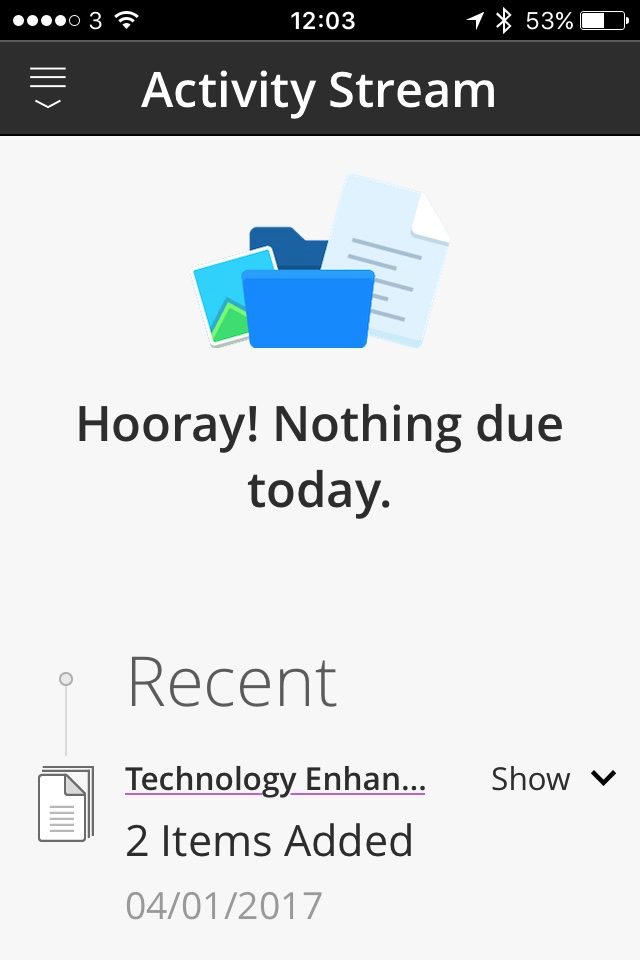
You’re welcome Frances. Above, the app informing me that I have nothing to do!! 😉
Dave Culliton [8:14 PM]
If it makes you feel any better, Gerard, Bb Student works great on android. :nerd_face:
Gerard Kilkenny [8:25 PM]
I feel better already Dave. Very noble of you to drag yourself away from key sporting events for a spot of testing. I amy
I may drift towards euphoria if I learn that it works on all versions – Cupcake to Marshmallow with Ice Cream Sandwiched in between. I may become ecstatic if I find out that it works on all hardware devices including all of the models made by HTC, Samsung, blah, blah, blah…
Gerard Kilkenny [10:40 AM]
added an integration to this channel: gerardkilkenny
Note: The text in the line above appears when you add your Twitter handle to Slack. My Twitter handle is @gerardkilkenny.